ShopDreamUp AI ArtDreamUp
Deviation Actions



Suggested Deviants


Suggested Collections


You Might Like…


Featured in Groups



Description
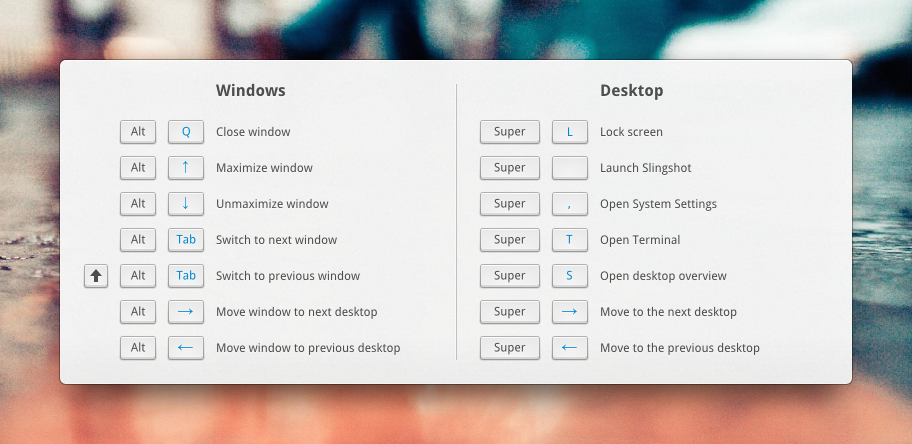
Here's the idea: Holding down the super key for long enough will show this window, revealing all the shortcuts of the active window. In this case, the desktop is the active thing and holding down super shows shortcuts that the desktop uses.
Image size
912x444px 470.76 KB
© 2012 - 2024 BassUltra
Comments36
Join the community to add your comment. Already a deviant? Log In

Pretty cool! Thanks 